 Lodged
Save any page to Notion. Every single time.
One key saves the whole article you're reading, with its images and cover, into Notion. Every save gets a receipt, and if you're offline or Notion is having a bad day, it waits in an outbox and syncs itself. Nothing disappears silently.
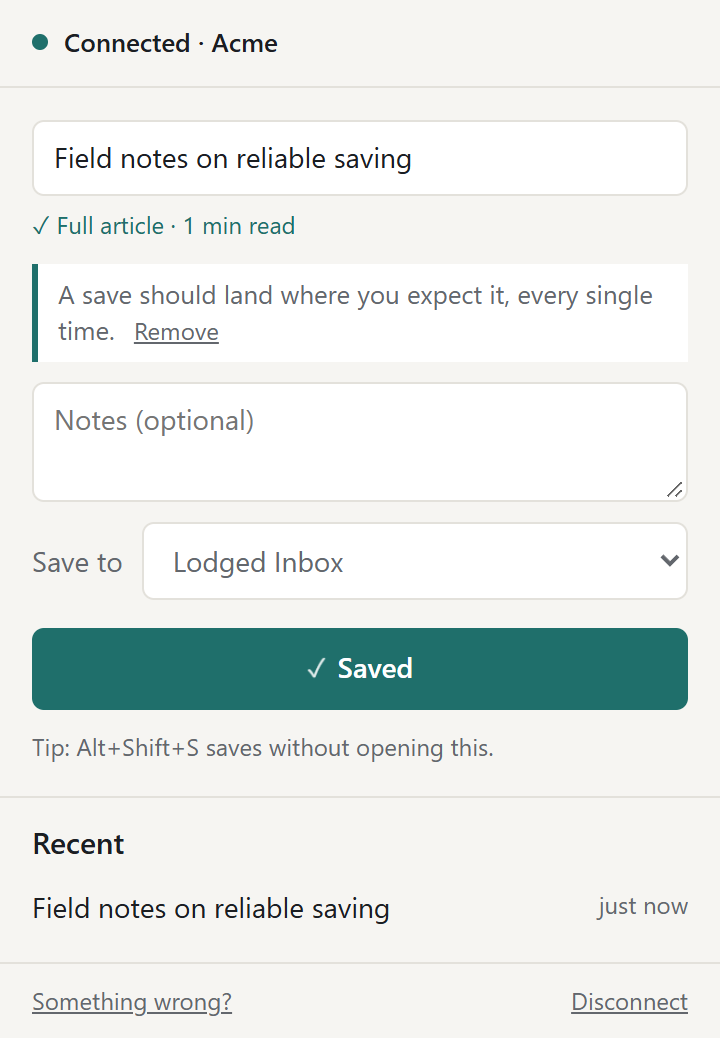
Built so a save can't quietly go missing
-
The whole article, not just a link
The text, its images, the cover picture, the author and the date land in Notion, clean, without the site's menus and ads.
-
One key
Alt+Shift+S saves the page to your last database. Right-click to save a link, a selection or an image.
-
A receipt for every save
The toolbar icon flashes a check, and the popup links straight to the new page in Notion.
-
An outbox that never forgets
Offline, rate-limited or mid-outage: the save waits in the outbox and goes through on its own.
-
Zero setup, official API
Connect once on Notion's own permission screen, and Lodged creates an Inbox for you. Nothing depends on staying logged in to notion.so.
-
A self-check built in
"Something wrong?" checks every link in the chain and tells you, in plain words, which one is broken.
Up and running in a minute
- Add Lodged to Chrome.
- Click the icon and connect your Notion account.
- On any page, press Alt+Shift+S. That's it.
Your pages go to your Notion. Nowhere else.
What you save travels from your browser straight to Notion. Our small server only helps renew your Notion sign-in and never sees what you save. No ads, nothing sold. The only thing Lodged reports is an anonymous daily count of saves that worked, and you can switch even that off.